
Calculate fuel and EV trip costs
Set your distance, efficiency, currency, and extras, then compare the total and cost per person.
Enter your trip and vehicle details
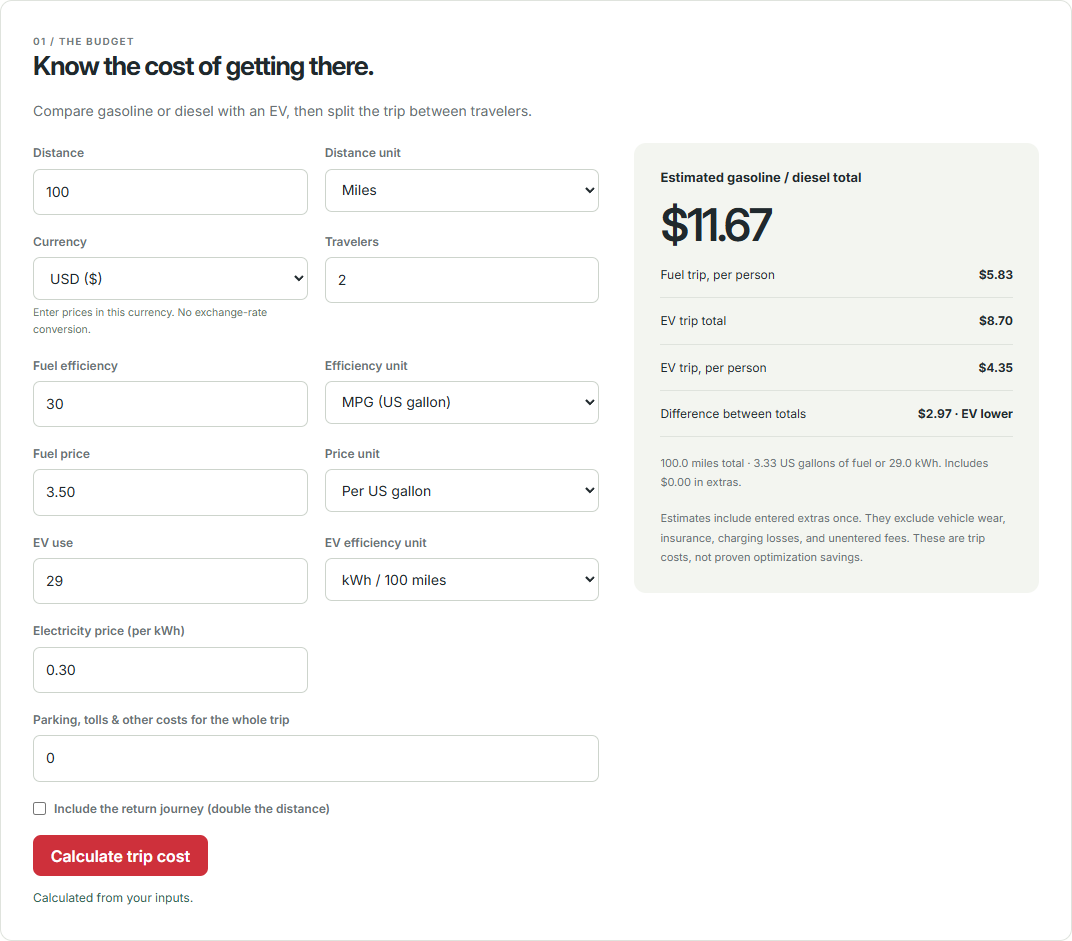
- Open the trip cost calculator.
- Enter a distance and choose miles or kilometers.
- Choose the currency and number of travelers. Enter all prices and extras in that currency.
- Enter fuel efficiency and its unit: MPG (US gallon), MPG (UK gallon), or Liters / 100 km.
- Enter the fuel price and choose whether that price is per US gallon, UK gallon, or liter.
- For the EV comparison, enter energy use in kWh per 100 miles or 100 km and your electricity price per kWh.
- Add parking, tolls, and other costs for the whole trip. Choose the return-journey option only if the distance entered is one way.
Results update from valid inputs; you can also select Calculate trip cost. Initial values are examples, not current local prices.
Understand units and currency
US and UK gallons are different sizes. Match each efficiency and price unit to the source of your figure. The calculator supports mixed units, such as US MPG and a price per liter.
Changing a measurement unit in the toolkit converts the entered quantity to preserve its physical meaning. Changing currency does not exchange or convert prices: check fuel, electricity, and extra costs after changing the currency.
Currency is remembered in this browser when storage is available. It is not synced with your account. Check it again on another device, especially when reusing account price amounts.
Check a simple example
A 100-mile drive at 30 MPG (US), with fuel costing $3.50 per US gallon, uses about 3.33 gallons and costs $11.67 before extras.
Adding a return trip doubles the driving distance. Adding $5 in extras then gives $28.33 in total, or $14.17 each for two travelers after rounding. Extras are included once for the entire trip.
What the totals include
Both the fuel and EV totals include your entered extras. The comparison does not account for vehicle wear, insurance, charging losses, or fees you have not entered. These are estimated trip costs, not proven savings from route optimization.
In the mapped planner, use More options → Advanced for vehicle, efficiency, and price settings. Enter amounts for the units selected there. Those estimates use the calculated route distance; the toolkit uses the distance you enter.
Something still unclear? Get in touch or try troubleshooting.